9. Wrapping up: exports, archiving & billing
The tournament's over (or the season is). Here's how to keep your data, free up your credit, and get ready for the next one.
Export your data
Manage → Tools → Export data. Both exports download an Excel workbook.

- Export General Data — settings, all games with results, all players, one sheet per team, all goals, penalties, stats and divisions. Your season in one file.
- Export Detailed Game Data — one sheet per game with the full play-by-play and per-player totals. Handy for awards night.
Exports are available at any time, not only at the end — archive copies keep working too.
Archive the event
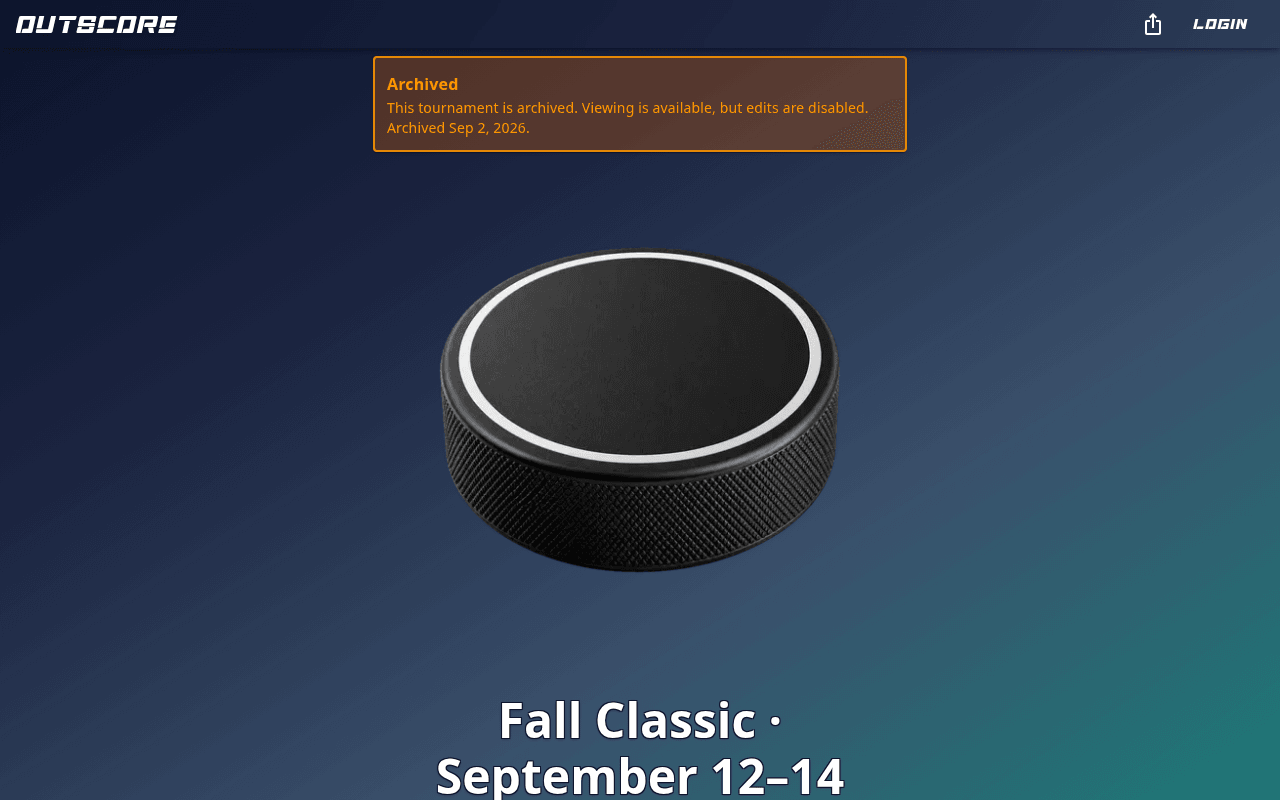
Archiving hides the event from fans (its public pages show an Archived banner and the schedule/rosters/rankings pages are switched off), locks it against edits, and frees its credit so you can use it for another tournament. Nothing is deleted.
Only the owner can archive, from either of these places:
- My Account → Events → Archive on the event card, or
- Tournament Settings → Archive tournament.

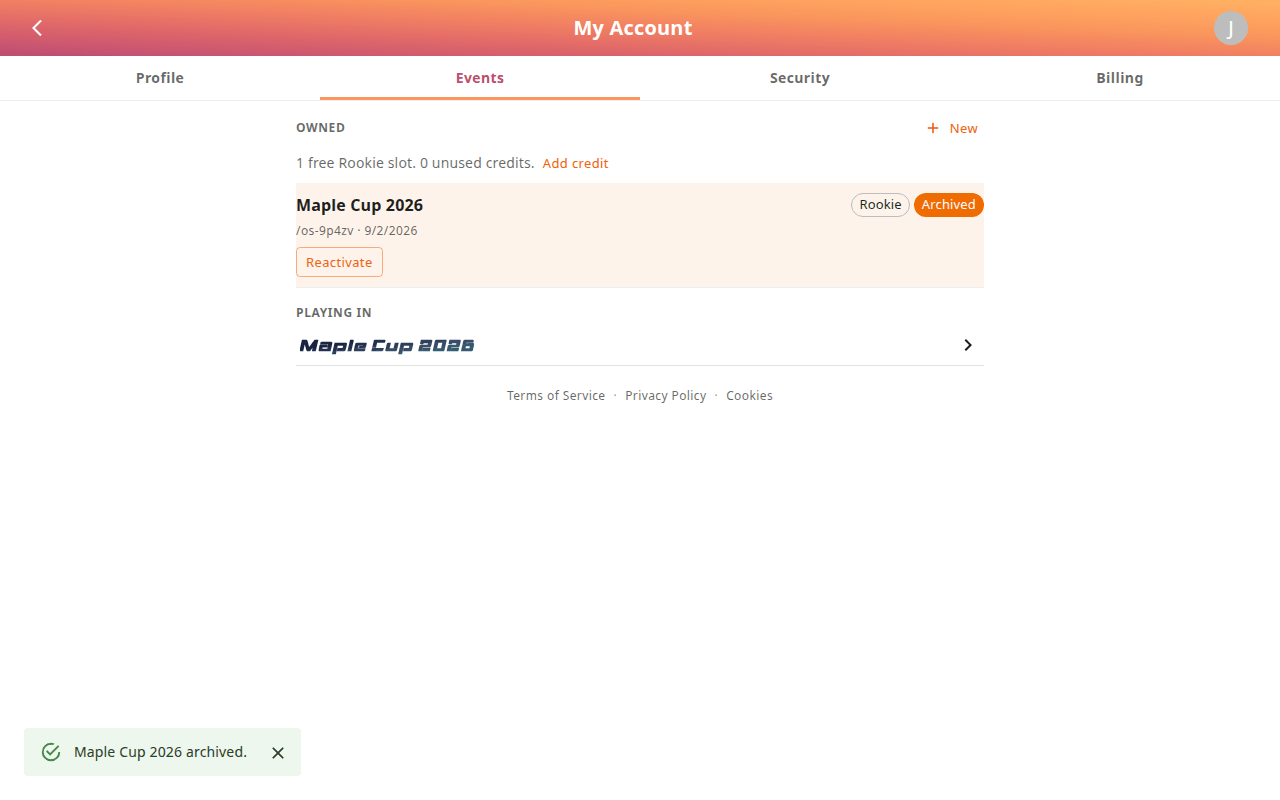
Confirm Archive. The card changes to Archived with the date, and shows a Reactivate button.
Fans who still have the link see the banner:
Note
If you're on the free Rookie slot, archiving is what lets you create your next free Rookie event — you can only have one active at a time.
Duplicate & archive (season rollover)
Running the same league every season and want to keep the same URL? Duplicate & archive (Organizer and League credits) does exactly that:
- The finished season is copied to a new, archived ID such as
/YourID-fall-2026with a Season label, so results stay viewable. - Your live URL
/YourIDkeeps its name, logo, settings, users and — optionally — its players and teams, with the schedule, goals, penalties and stats cleared and the draft reset, ready for the next season.
Open it from Manage → Tools → Duplicate and archive, Tournament Settings, or My Account → Events → Duplicate & archive.

- Type a Season label (e.g. Fall 2026) — it's shown on the archived copy.
- Decide whether to Keep players on the live tournament and Keep teams on the live tournament. Untick them if next season's roster starts from scratch.
- Press Duplicate and archive. Large events can take a minute; you'll see Archived as /YourID-fall-2026 when it's done.
Reactivate an archived event
In My Account → Events, press Reactivate on an archived card. The event is checked against your plan limits (it needs a free slot or credit) and comes back exactly as it was.
Credits, upgrades and billing
Credits are how paid events work: one credit runs one tournament for its billing interval, and archiving frees it again. You can buy a credit first and apply it when creating an event, or upgrade an event that's already running.
- My Account → Billing lists your free Rookie slot and every credit (plan, interval, which event it's applied to). Add credit buys another; Manage billing opens the Stripe customer portal for invoices, payment methods and cancellations.
- Upgrade this event (Tournament Settings → Event credit, or Upgrade on the My Account card) applies a credit to the current event. Pick the Credit (Club, Organizer) and the billing interval — Monthly, 3 months or Yearly — then complete checkout. Your roster limits rise immediately; nothing else changes.


League events are quoted individually — press Get a quote on the Pricing page.
Linked tournaments
If you run several events (two divisions, a recurring cup), link them so fans can hop between home pages. In Tournament Settings → Home Screen → Linked Tournaments (or the Setup wizard's Advanced settings), pick another event you own, give the button a label, and it appears on this event's public home page. Up to 8 links per event.
Bulk Admin functions
League-tier (and legacy) events get an Admin functions panel under Manage → Tools for wholesale resets between sessions. Each action asks for confirmation — there is no undo.

| Action | Effect |
|---|---|
| Set All Players to No Team | Clears every roster (players stay on file) — the usual step before a redraft. |
| Set All Players to Not Active / Set All Players to Active | Bench or reinstate everyone at once. |
| Delete all goals / Delete all Penalties / Delete all games | Wipe scoring data or the entire schedule. |
Export first (above) if you might want the numbers later.